
How to Check Out
Completing your purchase in the Handcraft Health Patient Portal is simple and secure. Follow these steps to check out and pay for your order.
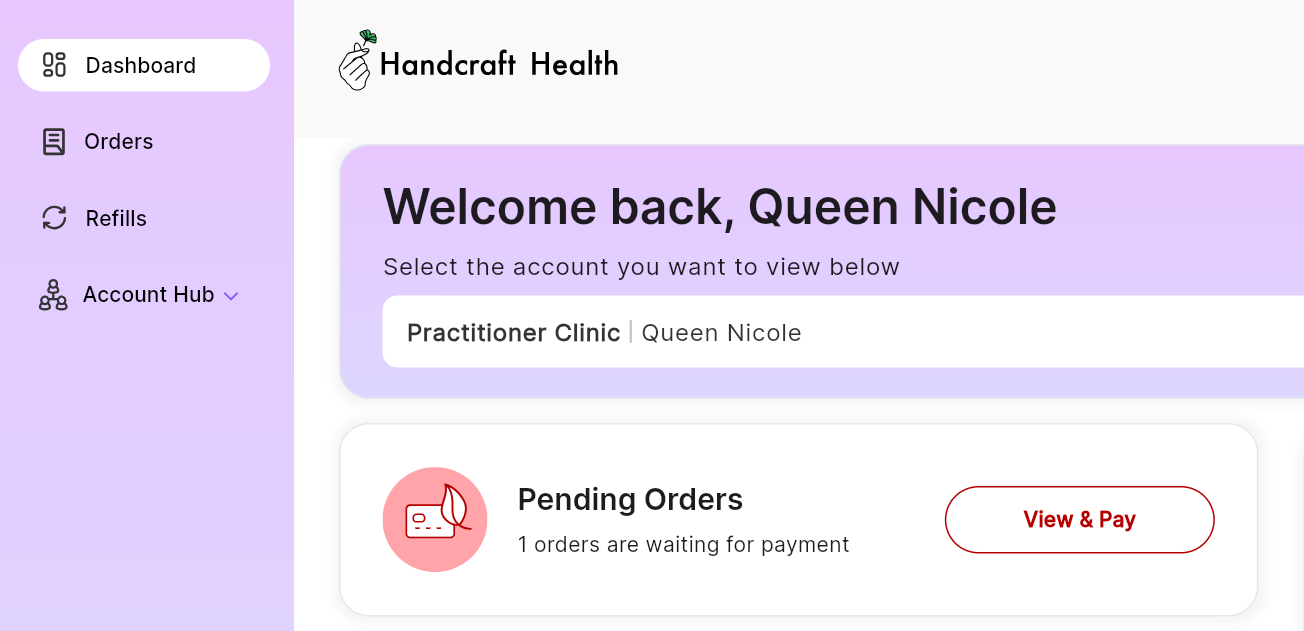
Step 1: Log Into Your Dashboard
Visit the Handcraft Health Patient Portal and log in using your email or Google account.
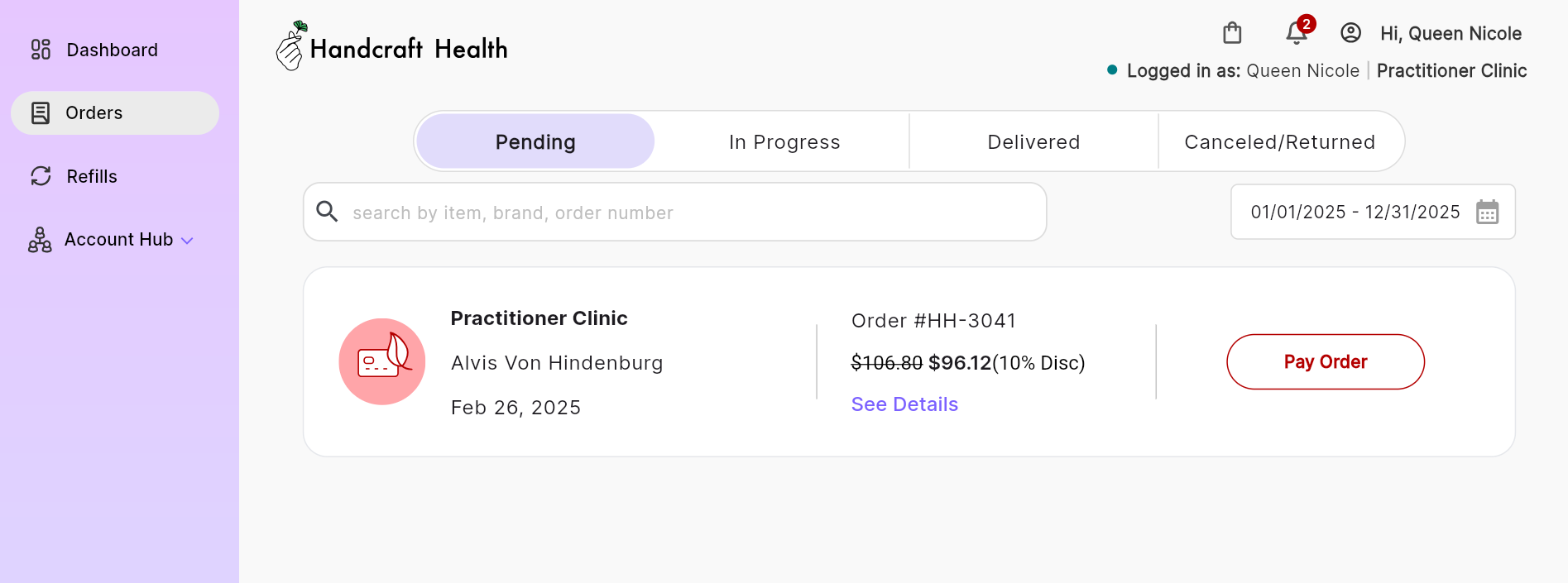
Step 2: Find Your Order
You can find your pending orders in two ways:
- 1st Way: Under Pending Orders: Click "View & Pay" the pending order you want to pay for.
- 2nd Way: Orders Menu: Click Orders in the left-hand menu and select the order you wish to pay for.
Once you've selected the order, click Pay Order to proceed.
Step 3: Review Your Order
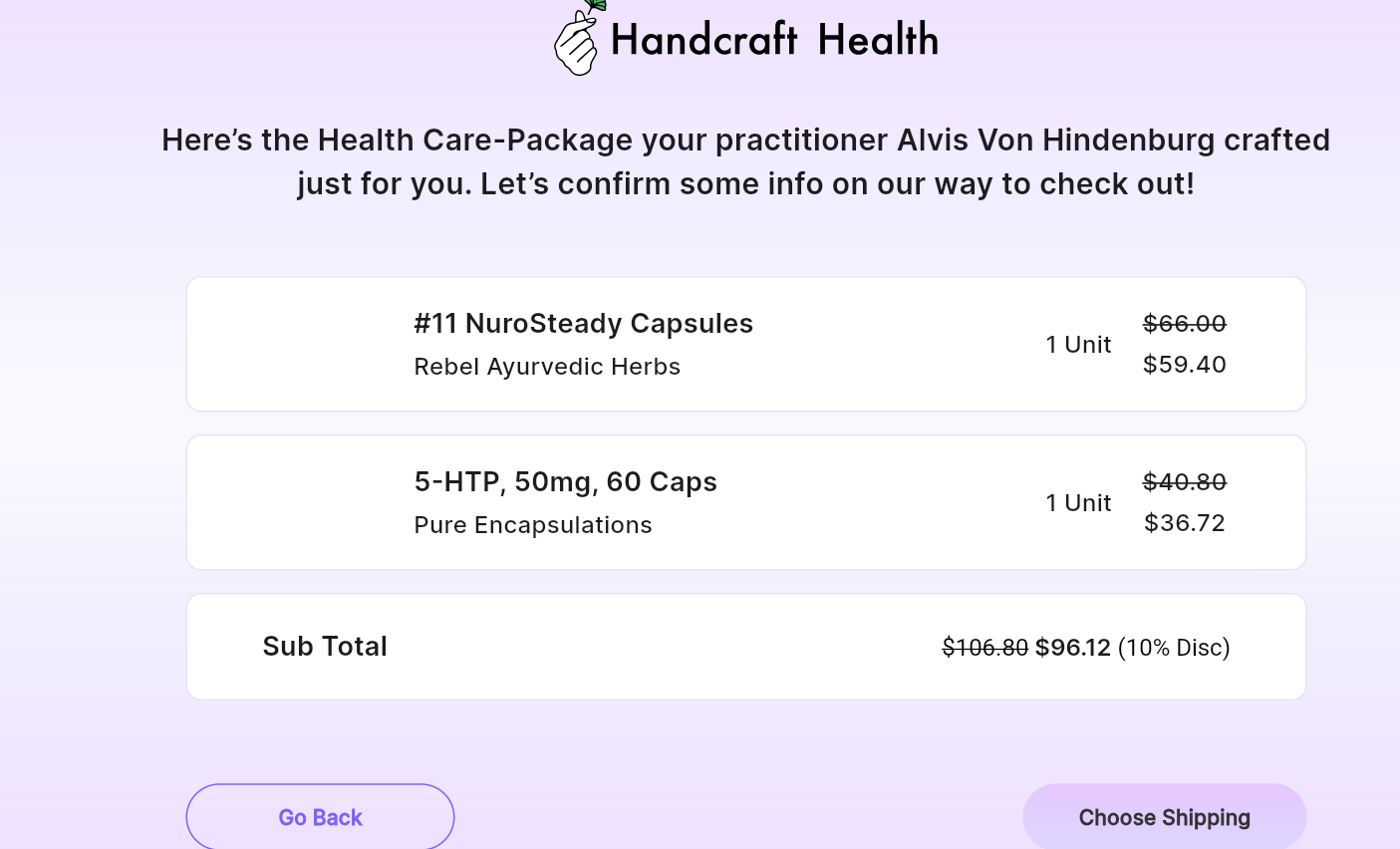
On the order details page, carefully review all the products in your order. If everything looks correct, click Choose Shipping to continue.
Step 4: Select Shipping and Confirm Address
You will be directed to the shipping page where you can:
- Confirm your shipping address.
- If your address needs updating, click Update My Address and enter the correct information.
- Select your preferred shipping option.
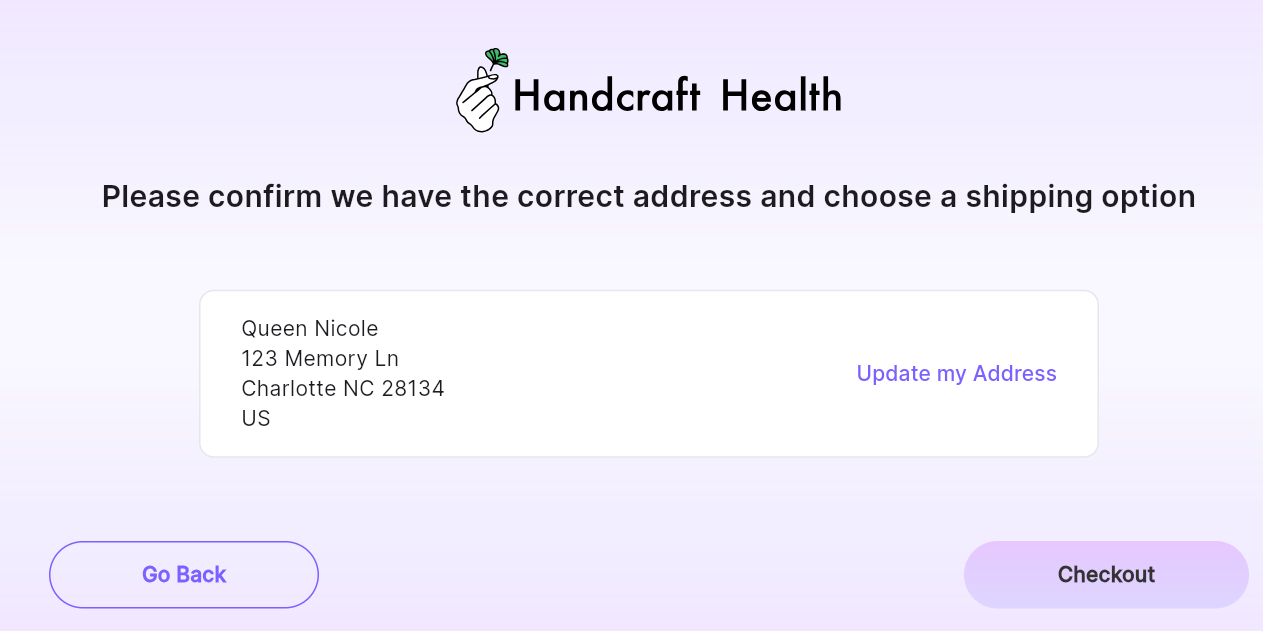
Once completed, click Checkout to proceed.
Step 5: Enter Payment Details
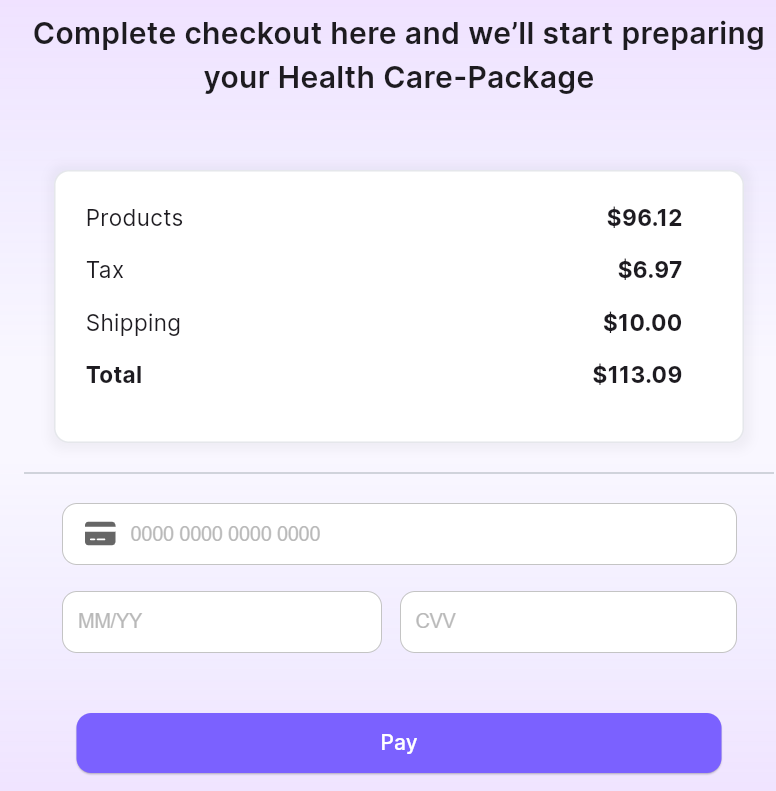
On the checkout page, you will see:
- The total price, including products, shipping, and taxes.
- Payment fields where you will enter your credit card details.
Once you've entered your payment information, click Pay.
Once your payment is complete, we will begin preparing your package for delivery. You can track your order status directly from your dashboard. If you have any questions or issues, support is available to assist you at support@handcraft.health