Update My Profile Information
Want to update your info? Follow the guide below to learn how.
How To Get There
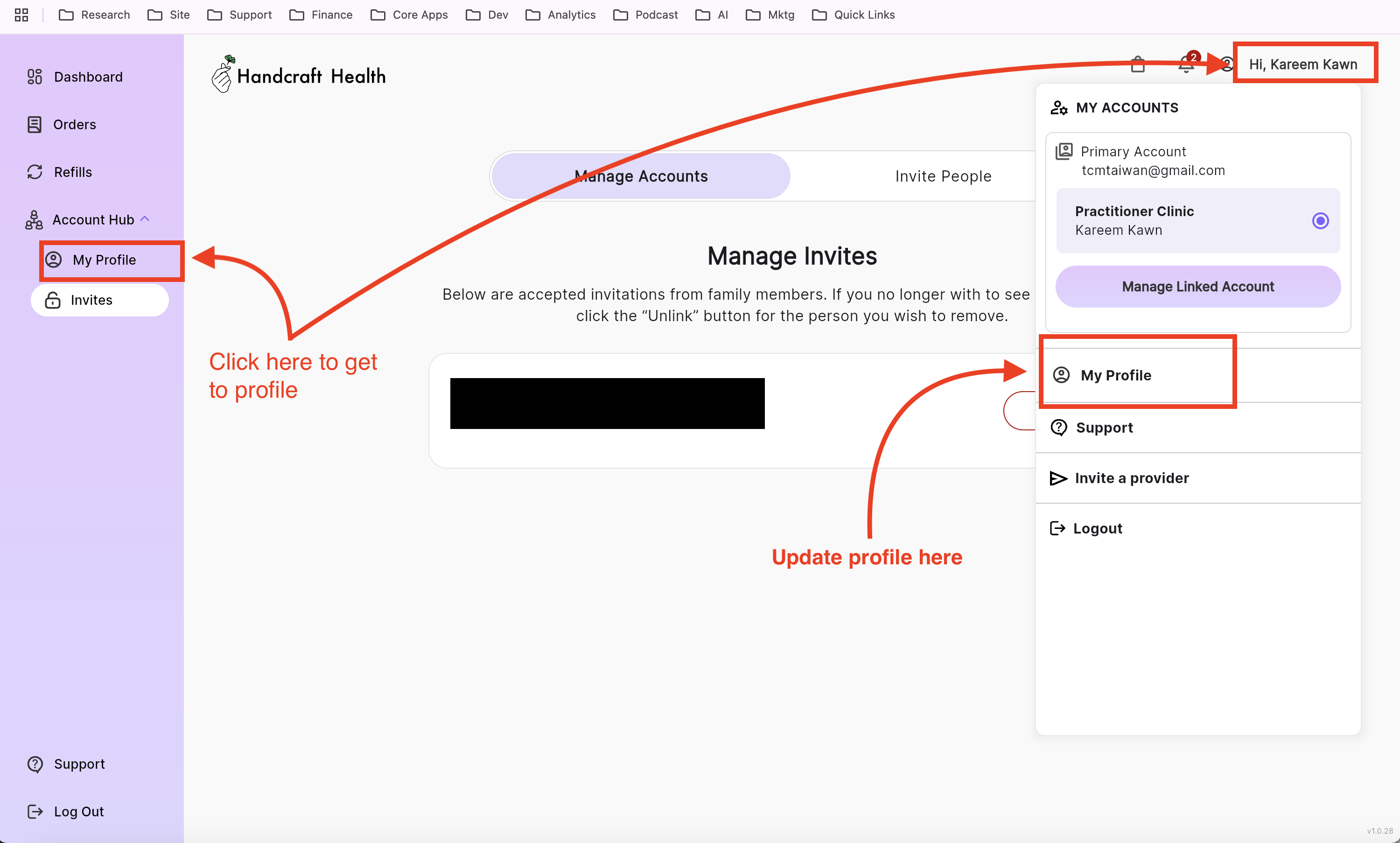
- On the left navigation go to "Account Hub" then click "My Profile" or
- In the upper right corner click you name and choose "My Profile" in the popup
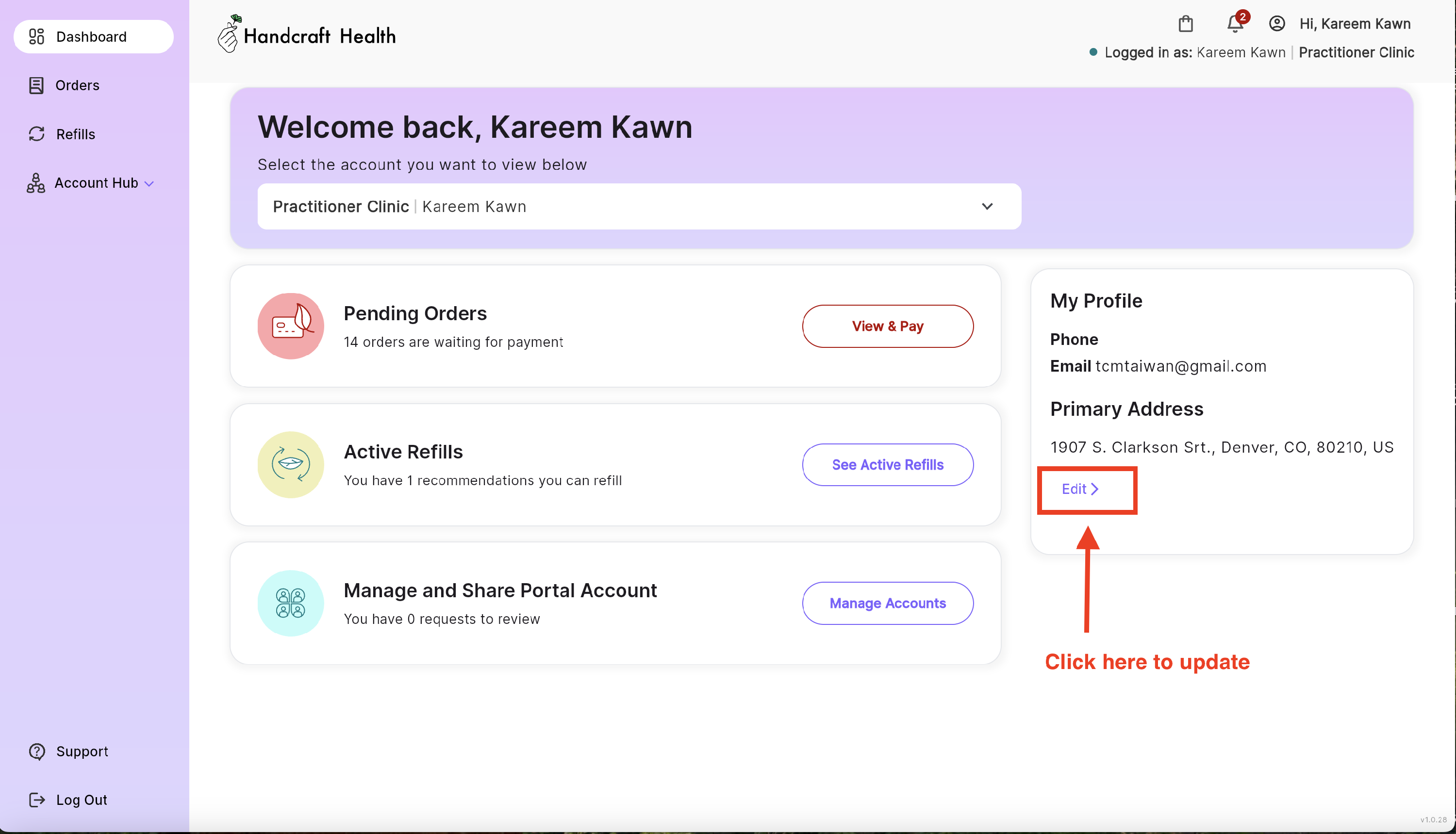
- From the dashboard you'll have an area where you can see your profile info, from there click "Edit"
The Profile Page
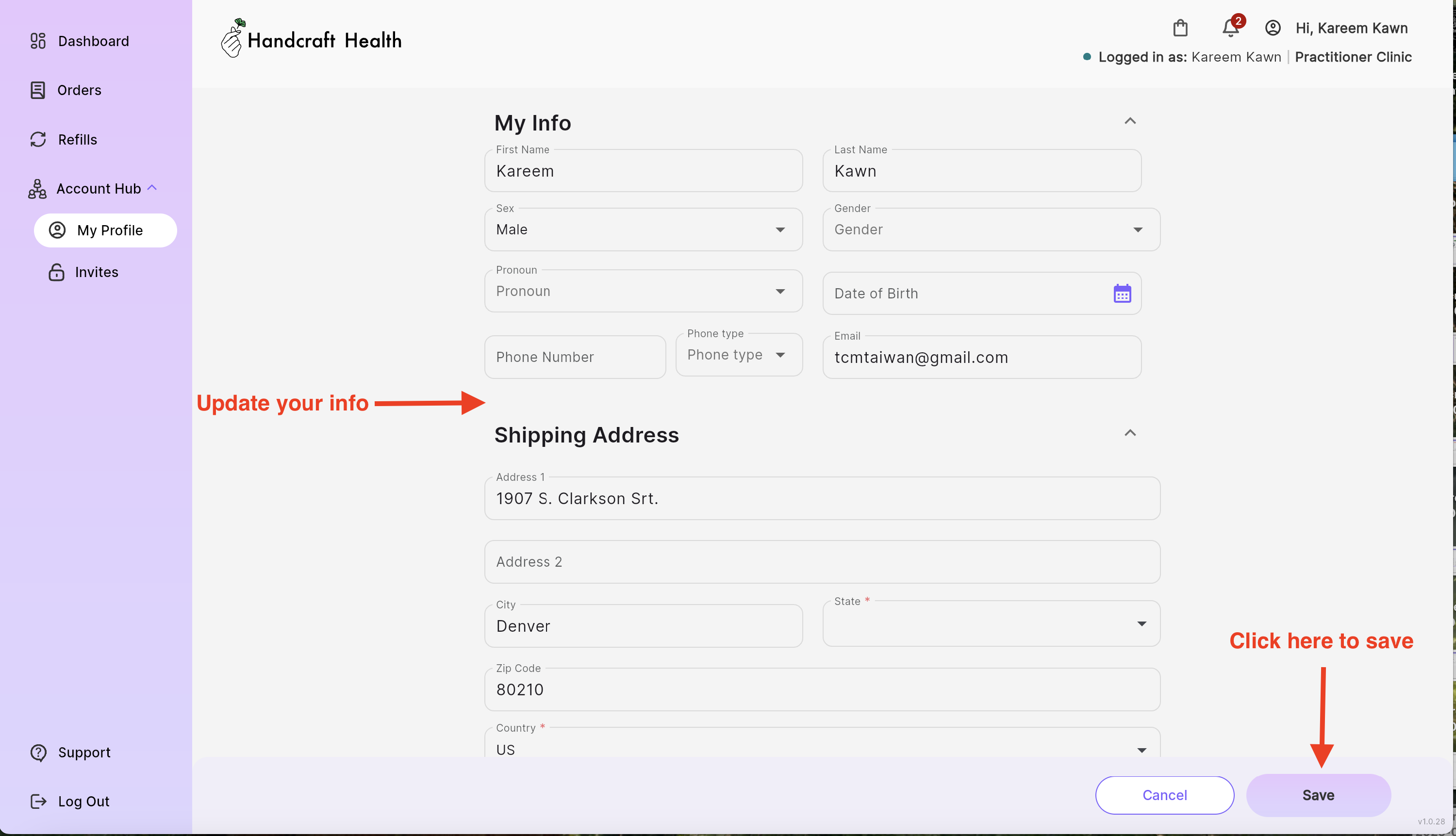
After clicking My Profile you'll be taken to a page where you can update your information such as;
- Personal /Contact info
- Shipping info
- Emergency Contact
- Primary Practitioner